
How to A/B Test an Agent
A FreeToken App has the ability to use multiple Agents. Each Agent can use different prompts, models, and settings. The app can then be configured to route device session registrations to different Agents in order to A/B test them.
You can then track the performance of each Agent in the web console under telemetry or use your own engagement metrics and user feedback to determine which Agent is best for your use-case.
Setting up Agent Routing
Agent routing is configured in two ways:
- In the FreeToken web console you must setup the agent routes
- In your app, you must register the device session with a matching scope.
Step 1: Setup Agent Routes in the Web Console
Device routing in the web console works a lot like routing a web application. It uses scope order, and wild-card matching for fall-through.
Here is an example of an A/B test setup:
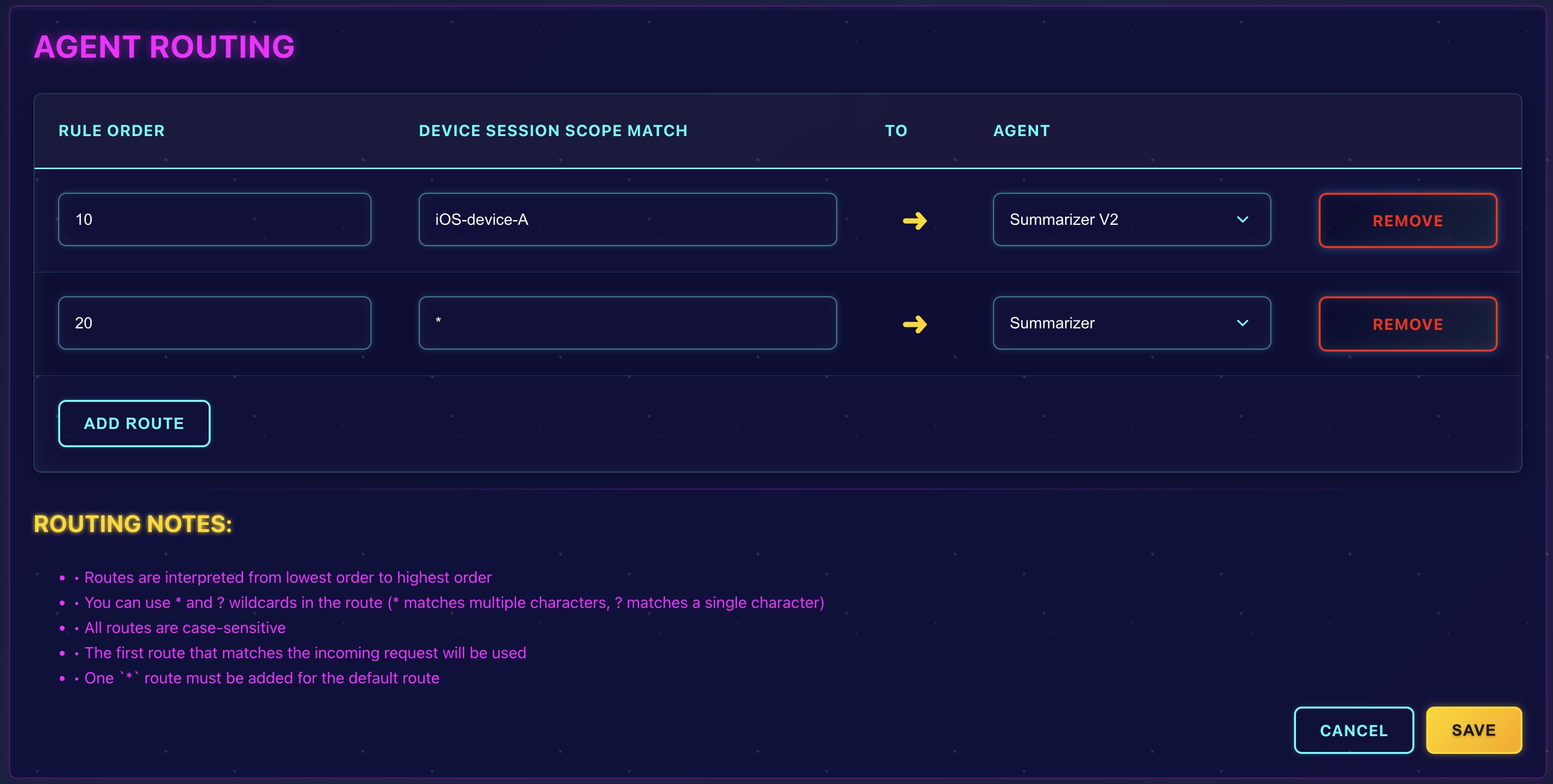
In this example, an exact match to "iOS-device-A" will route to Summarizer V2 Agent, and all other devices will route to the Summarizer Agent.
Step 2: Register the Device Session with a Scope
The scope is a string value that is used to match against the routing rules you setup in the web console.
In our example, when registering the device session we'll randomly select either "iOS-device-A" or "iOS-device-B" as the scope. This will ensure that some devices are routed to the Summarizer V2 Agent, and others to the Summarizer Agent.
let deviceScope = Bool.random() ? "iOS-device-A" : "iOS-device-B"

FreeToken.shared.registerDeviceSession(
  scope: deviceScope,
  success: { session in
      print("Device session registered with scope: \(deviceScope)")
  },
  error: { error in
      print("Error registering device session: \(error.localizedDescription)")
  }
)
Update Anytime!
After running your test for a while, you can always update the routing rules in the web console and move all devices to a single Agent, or try a new Agent. The device sessions will automatically use the new routing rules the next time they register.
No need for re-submission to the app store or any code updates!